Image Anonymization Workflow for Editorial Teams and Photo Agencies: How to Work in 5 Steps

Mateusz Zimoch
Published: 5/12/2026
Updated: 5/19/2026

Visual data anonymization is the operational preparation of photos and video materials for publication in a way that limits the identification of people visible in the frame. In editorial practice, this most often means face blurring and license plate blurring, that is, obscuring faces and vehicle registration plates, and in selected cases also manually covering other elements of the image. In publishing environments, this is not about theory but about a repeatable anonymization workflow that can be implemented under time pressure, without team chaos and without unnecessary file duplication.

For editorial teams and photo/video agencies, one thing is crucial: anonymization cannot be the last random click before publication. It should be part of the process from the moment the material is received through to archiving the final version. This way of working is a common compliance practice wherever images are shared with PR departments, media outlets, public institutions, and marketing teams.

In day-to-day operations, a tool such as Gallio PRO can be helpful: on-premise software for photo and video anonymization that automatically detects only faces and license plates, not full bodies, logos, tattoos, name badges, documents, or content shown on monitor screens. Those elements can be handled manually in the built-in editor. For editorial teams, it also matters that the software should not store logs containing personal data if the organization wants to limit the scope of additional process information being recorded.

Person at a desk viewing cat photos on a large monitor and using a laptop in a bright office.

Why a Photo and Video Anonymization Workflow Should Be Broken Down into Stages

Photos and recordings published by media outlets, agencies, and communications teams often show bystanders, event participants, drivers, pedestrians, or customers. Such material may contain personal data within the meaning of the GDPR if it allows a person to be identified without disproportionate effort. A person’s likeness very often meets that threshold. That is why organizations usually combine the data protection perspective with the protection of personal rights and the rules governing the publication of a person’s image.

When it comes to faces, organizations often take a precautionary approach. The obligation to anonymize faces does not arise directly from the GDPR, the Civil Code, or copyright law, but from the need to ensure that the method of publication complies with personal data regulations, personality rights, and image publication rules. In publishing practice, organizations most often analyze situations such as when the person is publicly known, the image is only a detail of a larger whole such as a gathering, landscape, or public event, or the person received agreed payment for posing.

For license plates, the situation in Poland remains less clear-cut. On the one hand, the practice of data protection authorities and a precautionary approach often lead to plates being blurred. On the other hand, Polish case law includes the view that registration plates do not always constitute personal data in themselves. In many European countries, license plate blurring is treated as a publication standard. This is not legal advice, but a description of a common operational approach.

Three people in a meeting room at a table with laptops and notes, discussing a diagram on a whiteboard about backend processes.

A 5-Step Anonymization Workflow for Photo Editors and Publishing Teams

Step 1. Receiving the Material: Qualification Before Editing

The first stage should not consist of immediately exporting files for publication. Once photos or recordings come in from a shoot, a freelancer, a client, or a reporter, it is worth assigning the material to one of three categories: publish without changes, publish after anonymization, or publish after consultation. This division shortens the editor’s working time because from the start it is clear whether the material shows identifiable faces of bystanders, vehicles with visible registration plates, or elements that require manual correction.

At this stage, a simple standard works well: one source folder, one task owner, one status. For teams publishing large volumes of images, the lack of this discipline usually ends in raw files being mixed with files that are ready to go live.

It is also worth deciding immediately whether the material should be processed locally. In an on-premise software model, files remain within the organization’s own environment, which matters to some editorial teams and public-sector bodies from the perspective of operational security and internal policies.

Step 2. Identifying People and Elements That Must Be Obscured

The second step is not a general risk assessment but a specific frame-by-frame review. A photo editor should answer two questions: are recognizable faces visible in the material, and are license plates visible? These are the two elements most commonly covered by automatic detection in visual data anonymization tools.

Precision is essential here. Gallio PRO automatically detects and blurs only faces and license plates. The software does not automatically detect company logos, tattoos, name badges, documents, or content displayed on monitor screens. If such elements are present in the material, they must be assessed and, if needed, blurred manually in the built-in editor.

In editorial practice, this means one simple rule: first identify the two object classes handled by automation, then review the elements the automation does not cover. This split prevents the mistaken assumption that the system will recognize everything in the frame. It will not.

Step 3. Batch Processing: Photos and Video in One Workflow

The third stage should be organized in batches. If a session includes 300 event photos or several dozen clips from a single shoot, manually opening every file one by one usually does not scale operationally. That is why editorial teams and agencies typically aim for one workflow for the entire set of material.

This is where a tool that supports both photo anonymization and video anonymization, with automatic detection of faces and license plates, becomes especially useful. That matters even more when the editorial team publishes the same story in parallel as a gallery and as video coverage.

An advantage for editorial teams is not only the automation itself, but also the reduction in additional process data stored outside the working material. In practice, this reduces the number of places where extra operational traces related to the source material are created.

This step is worth testing on a representative sample. If the team wants to see how batch processing performs on its own editorial material, it can download the free demo and compare the results across several frame types: a crowd, a close-up, street traffic, or a press conference.

It is also important to state clearly what this workflow does not do. Gallio PRO does not perform real-time anonymization and is not intended for video stream anonymization. It is designed for file-based work after recording and before publication.

Step 4. Verification: Quality Control Before Publication

The fourth stage is the one most often skipped, and this is exactly where most errors emerge. After batch processing, a quick but systematic quality check is needed. For photos, a thumbnail review is usually enough, followed by a full preview of frames that contain groups of people, reflections in glass, people in the background, or partially obscured vehicles.

For video, it is worth checking not only the opening of the shot, but also scene changes, camera stops, and moments when new people enter the frame. If the material contains elements that are not detected automatically, such as ID badges, documents, or monitor content, manual corrections should be applied.

A good standard is the four-eyes principle for material with elevated reputational significance. This does not mean a complex audit, but rather a second brief review before sending the files to the CMS or to the client.

Step 5. Archiving: Separating the Source, Working Version, and Publishable Version

The fifth step brings order to the entire process. An editorial team or agency should separate at least three layers: the source material, the anonymized material, and the final file intended for publication. This way, in the event of a correction, complaint, or reuse of the material, there is no need to recreate the process from scratch.

For archiving, it is best to stick to simple file naming and record only process information such as the editing date, operator, and publication status. Limiting the scope of additional metadata and logs can reduce the number of assets that later need to be separately secured or reviewed for retention purposes.

If an editorial team needs a larger-scale deployment, work in a closed environment, or a workflow tailored to its own compliance rules, the safest option is to get in touch and define the implementation model instead of building the process on shortcuts.

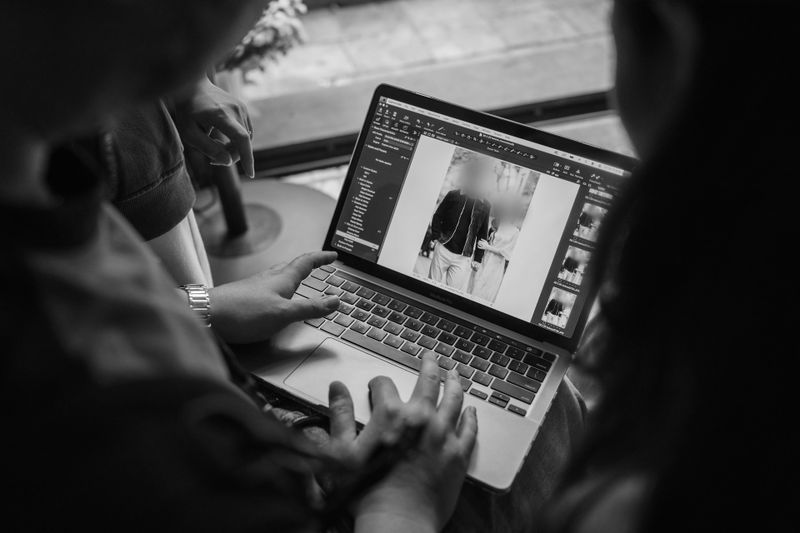
Two people view a photo editing software on a laptop; one points at the screen. The image being edited shows a blurred person.

Operational Table: What to Detect Automatically and What to Check Manually

Element in the material

Requires assessment before publication

Automatic detection in Gallio PRO

Recommended workflow stage

Face

Yes

Yes

Identifying people, batch processing, verification

License plate

Yes

Yes

Identifying people, batch processing, verification

Company logo

Depends on the publication context

No

Manual verification

Tattoo

Depends on whether the person is recognizable

No

Manual verification

Name badge

Yes, if it enables identification

No

Manual verification

Document visible in the frame

Yes

No

Manual verification

Content visible on a monitor

Yes, if it contains data or identifiers

No

Manual verification

Two people discuss while looking at a laptop and booklet, with a notebook open on a table. The image is in black and white.

Most Common Mistakes Editorial Teams and Agencies Make in Image Anonymization

The first mistake is assuming that because the material comes from a public event, every image can be published without further assessment. In practice, much depends on the context of the frame and on whether the person is the main subject of the photo or only part of a broader scene.

The second mistake is treating automatic detection as if it were full image analysis. A system that detects faces and license plates does not solve issues related to ID badges, documents, or content shown on screens.

The third mistake is failing to version files. Without separating the source from the publishable version, a team can easily send the wrong file to a client or upload material to the CMS before verification.

Two large white question marks under a white umbrella on a dark background, symbolizing protection and uncertainty.

FAQ: Anonymization Workflow for Editorial Teams and Photo Agencies

Does every face in a press photo have to be blurred?

Not always. Organizations often analyze the legal basis for publication as well as exceptions related to the dissemination of a person’s image. Typical situations reviewed in practice include a publicly known person, an image that is only a detail of a larger whole such as a gathering, landscape, or public event, and a case where the person received agreed payment for posing.

Do license plates always have to be blurred?

It depends on the jurisdiction and the compliance standard adopted. In many European countries, this is treated as a standard or strongly recommended practice. In Poland, the situation is not entirely clear, which is why many organizations take a precautionary approach.

Does Gallio PRO automatically detect logos, tattoos, and ID badges?

No. Automatic detection covers only faces and license plates. Logos, tattoos, name badges, documents, and content on monitors require manual work.

Does the software blur full bodies?

No. Gallio PRO does not blur full bodies. The scope of automatic anonymization is limited to faces and license plates.

Is this a solution for live streaming?

No. The software does not perform real-time anonymization or video stream anonymization. It is intended for work on saved photo and video files before publication.

Does the absence of detection logs matter for editorial teams?

Yes, operationally this can be an important feature. If the tool limits the storage of additional processing information, it reduces the number of extra artifacts that later need to be secured and maintained.

References list

  1. Regulation (EU) 2016/679 of the European Parliament and of the Council of 27 April 2016 - GDPR.
  2. Act of 23 April 1964 - Civil Code.
  3. Act of 4 February 1994 on Copyright and Related Rights.
  4. European Data Protection Board, Guidelines 3/2019 on processing of personal data through video devices.
  5. Information Commissioner’s Office, UK GDPR guidance and lawful basis guidance.
  6. Information Commissioner’s Office, guidance on video surveillance and personal data.